MANAGE YOUR OVERLAYS
OniX draws custom overlays, crosshairs, and HUD elements on top of any game. Zero input lag, true fullscreen support, and works with anti-cheat. No DLL injection. No kernel access. Just pure pixel rendering.
Built for competitive gaming
Everything you need to customize your visual experience. Engineered for performance. Designed for simplicity.
Overlay Library
Import your own PNGs or pick from the built-in library. Layer up to 20 overlays, each with custom opacity, position, and hotkey toggle.
PNG ImportZero Input Lag
Renders directly to GPU via DirectX 11. No CPU overhead, no frame drops, no stutter. You won't even notice it's running.
Native DX11Crosshair Editor
Built-in crosshair generator with 12+ styles, custom colors, sizes, and outlines. Save unlimited profiles per game.
12+ StylesGame Bar Overlay
Quick-access game bar with FPS, ping, hardware stats. Toggleable. Doesn't read game memory — anti-cheat safe by design.
Anti-Cheat SafeUniversal Compatibility
Works with DirectX 9, 10, 11, 12 and Vulkan. Tested on Valorant, Overwatch 2, Counter-Strike 2, Apex, Fortnite, and Rainbow Six Siege.
DX9 - DX12Completely Free
No subscriptions. No premium tier. No "Pro" features locked behind a paywall. The full app is free, forever, with no ads.
100% FreeCurrently supporting, more coming
Live now on Valorant and Overwatch 2. Marvel Rivals and Fortnite are next on the roadmap. No DLL injection, no memory reading — just visual overlay rendering.
See OniX in action
Real overlays captured from live games. This is what your screen will look like.
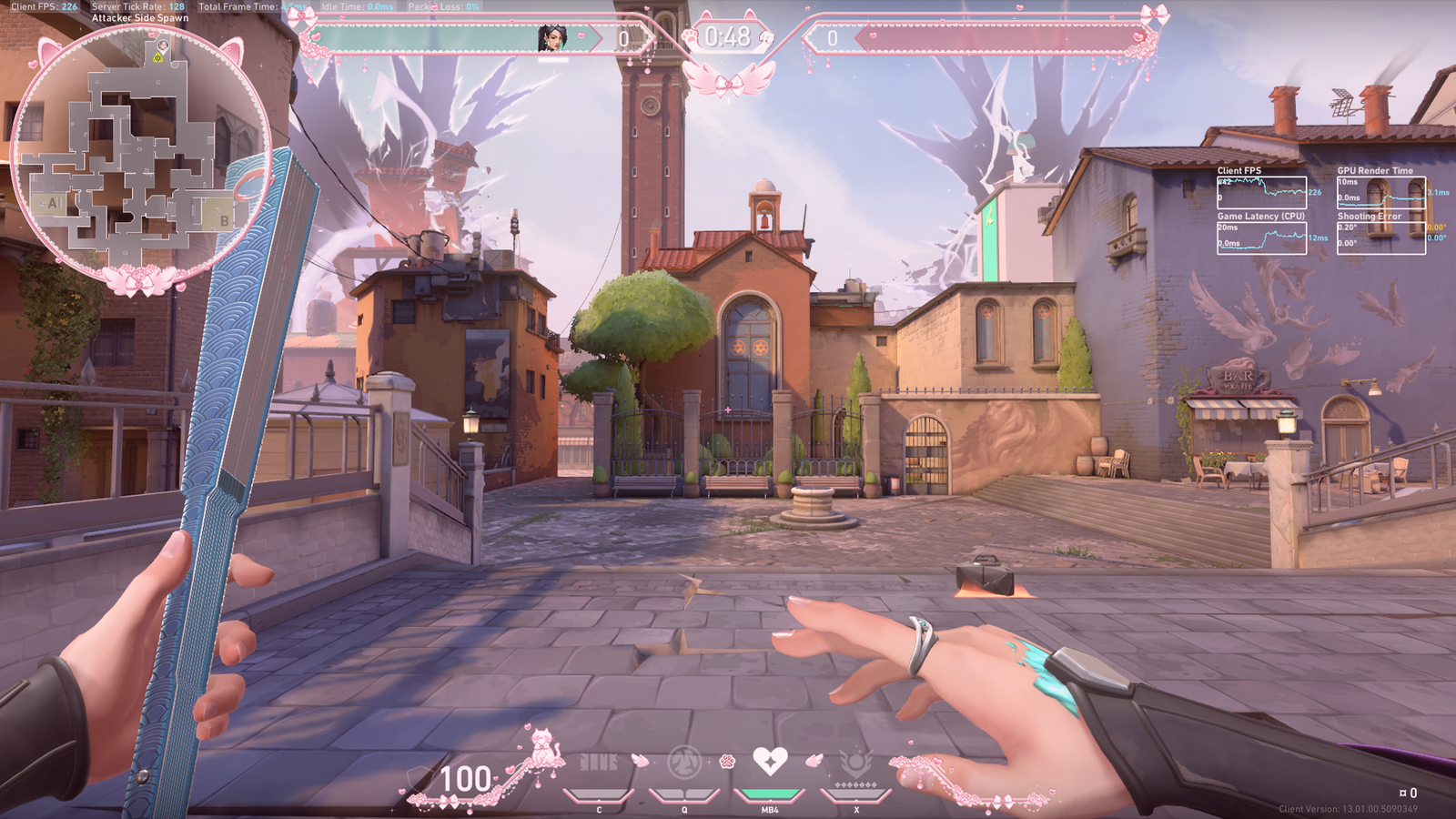
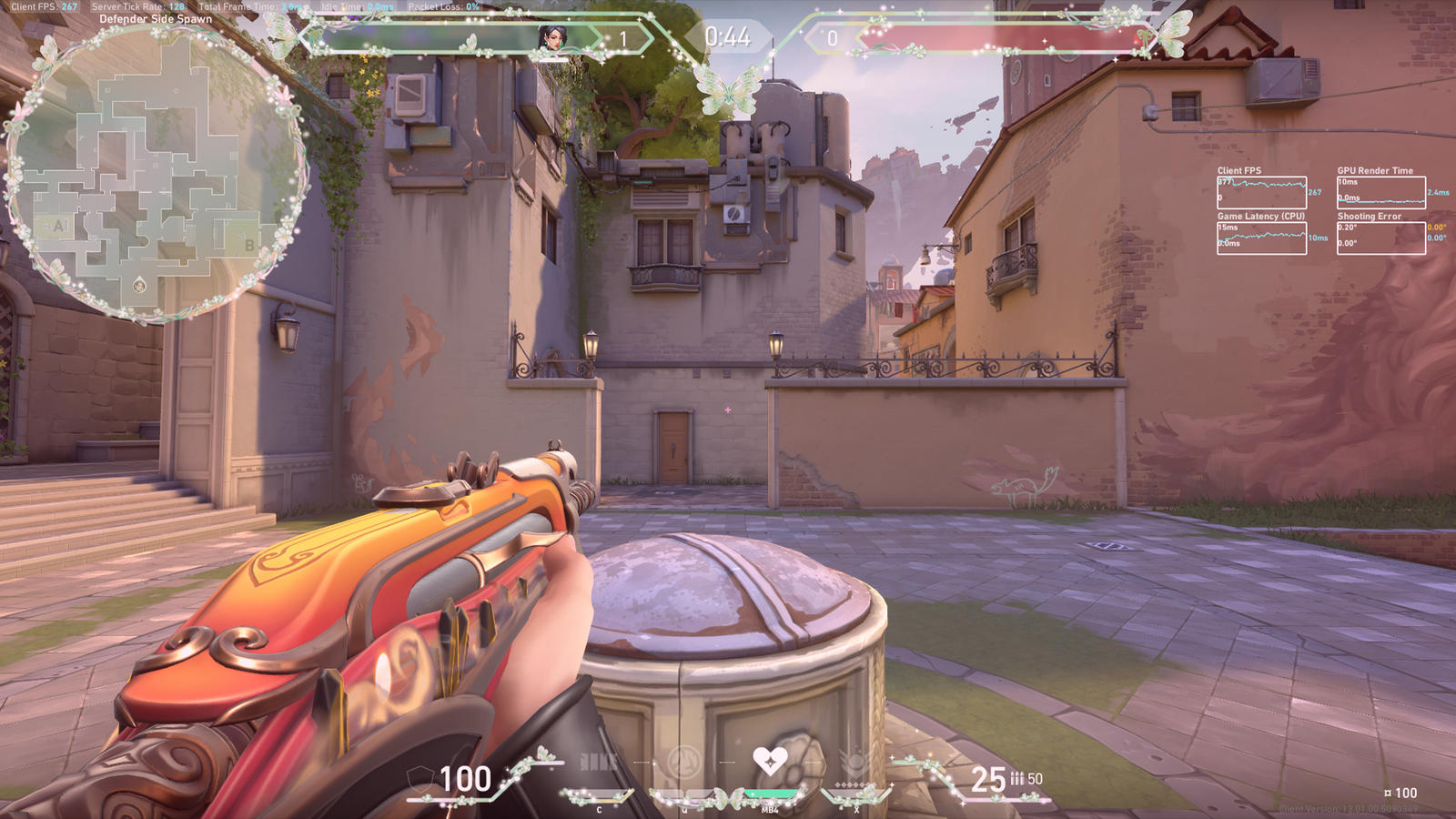
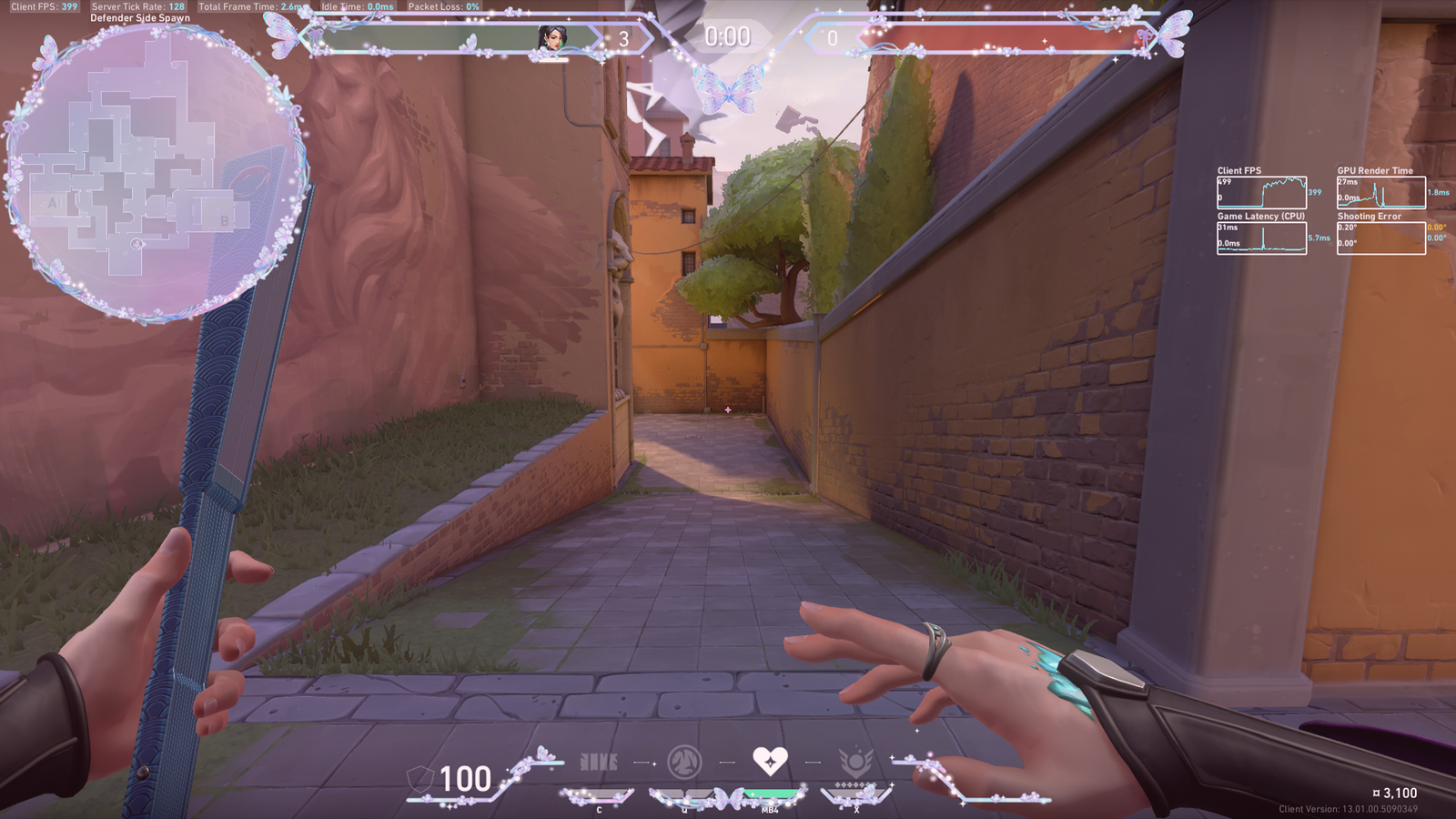
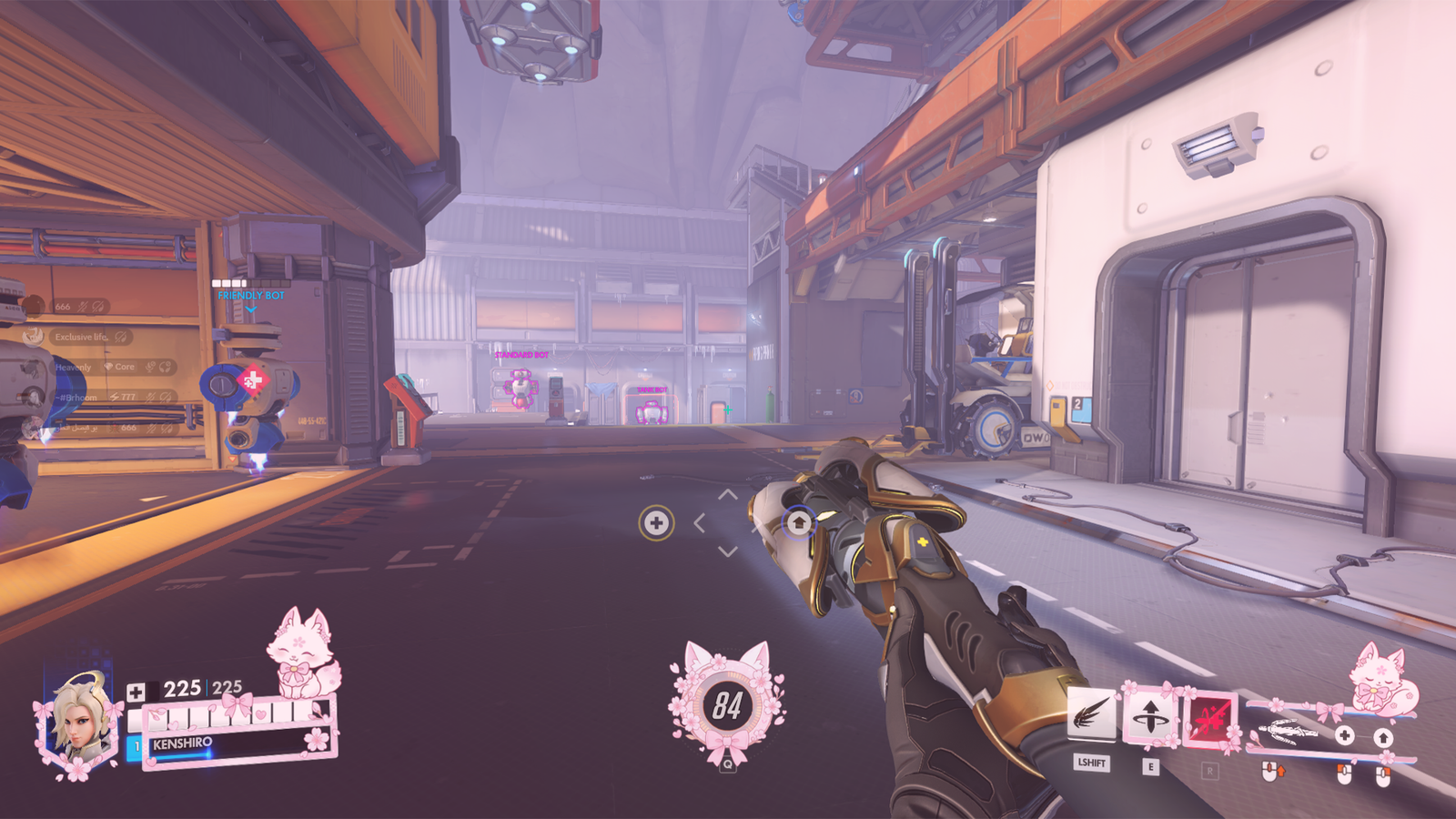
Built-in overlay library
Open the app and you get a full library of pre-made overlays. Crosshairs, HUDs, gauges, badges — all ready to use. Plus full support for importing your own PNG files.
Up and running in under a minute
No accounts. No sign-ups. No cloud sync. Just download, install, and play.
Download
Grab the 338 MB installer. Self-contained, no dependencies.
Install
One-click install to Program Files. No bloat, no extras.
Configure
Import overlays, set hotkeys, choose your crosshair.
Play
Launch your game. OniX renders on top automatically.
Frequently asked questions
GET ONIX
Free download. One-click install. Up and running in under a minute.
Download for Windows